


Discontinued
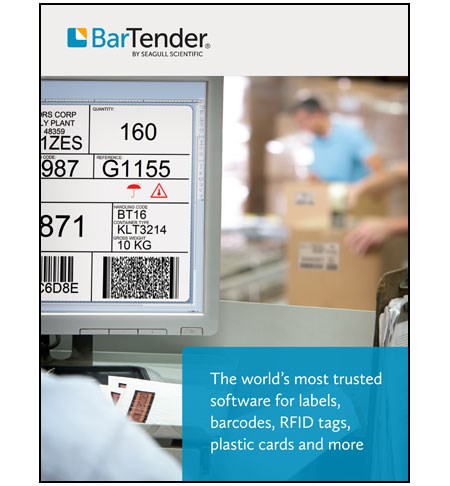
BarTender's four editions enable you to easily upgrade your system as your business grows, without the extra cost and complexity of buying add-on products.
Enterprise Automation Edition
- Design and print labels, cards, mag stripe cards and more
- Optimise print speed to any printer or marking device
- Design data-entry forms that provide data validation and accept print-time input from the keyboard or a barcode scanner
- Read data from CSV files, databases and Excel. Easily search and select records for printing
- Encode RFID labels
- Automatically print from any OS, system or device in response to data transactions and SDK requests.
- Design using Intelligent Templates to reduce maintenance
- Secure the printing environment with user and group roles
- Monitor live print status and view detailed history of system usage
- Print from any iOS or Android device with the BarTender Print Portal App
- Automatically print in response to Web service API or TCP/IP communication
- Integrate with SAP and Oracle
- Take advantage of centralised system management, browser-hosted printing, centralised template storage with revision control, electronic signature support, full SDK control, smart card encoding and more
Licensed per Printer
Please note. All BarTender Upgrades are delivered electronically, if you would like an installable disk version please call and request one.
**Please note, Bartender is not compatible on MAC operating systems. Bartender will no longer run on Windows 95, Windows XP or Windows NT operating systems, as the recent version of the software does not support this.
Operating system
- Windows 10, 8.1, 8, 7 and Vista.
- Windows Server 2012 and 2012 R2, Server 2008 and 2008 R2.
- Includes all 32-bit and 64-bit (x64) editions.
Hard disk and memory (minimum)
- Basic and Professional Editions (32-bit)
- 1 GB RAM
- 2 GB free hard drive space
- Basic and Professional Editions (64-bit)
- 2 GB RAM
- 3 GB free hard drive space
- Automation and Enterprise Automation Editions (32-bit)
- 4 GB RAM
- 20 GB free hard drive space (to allow sufficient space for logs)
- Automation and Enterprise Automation Editions (64-bit)
- 8 GB RAM
- 20 GB free hard drive space (to allow sufficient space for logs)
Display resolution (recommended)
1024 x 768 or higher
.NET Framework
The .NET Framework 4.0 is required. The BarTender installer will automatically install all required .NET Framework components.
Optional database
Logging of print jobs and event messages requires either
- Microsoft SQL Server 2012 Express (included with BarTender), or
- Microsoft SQL Server 2005 or higher (purchased from a database vendor)
Filter
Clear Filters
Filter +

Bartender Enterprise Automation 5 Printers
Discontinued
Need Help?
Need Help?
Bartender Enterprise Automation 3 Printers
Discontinued
Need Help?
Need Help?
BarTender 2016 Enterprise Automation 90 Printer Edition
Discontinued
Need Help?
Need Help?
Bartender Enterprise Automation 20 Printers
Discontinued
Need Help?
Need Help?
On Request
For products which are showing as 'in 2-5 working days', these are shipped direct from the manufacturer or supplier and so can be subject to a 2-5 day leadtime.
For items which are 'ordered on request', these are not in stock at the manufacturer or supplier and could be made to order with lead times up to 6 weeks.
If you require any products urgently, please call our sales team to discuss your requirements. Many of our suppliers are able to direct ship on a next working day service for a surcharge.
Close
Enquire Now


